
How to Remove EXIF Data from Photos
Use the tool below to remove EXIF and photo metadata in your browser.
or drag and drop files anywhere here
How to Remove EXIF and Photo Metadata in 3 Steps
Follow these three steps. Each image shows only the control used in that step.
Step 1
Upload the photo
Drop the photo into the upload area or choose it from your device.
Open the tool
Step 2
Review the metadata
Check the detected EXIF and photo metadata and select the fields you want to remove.
Open the tool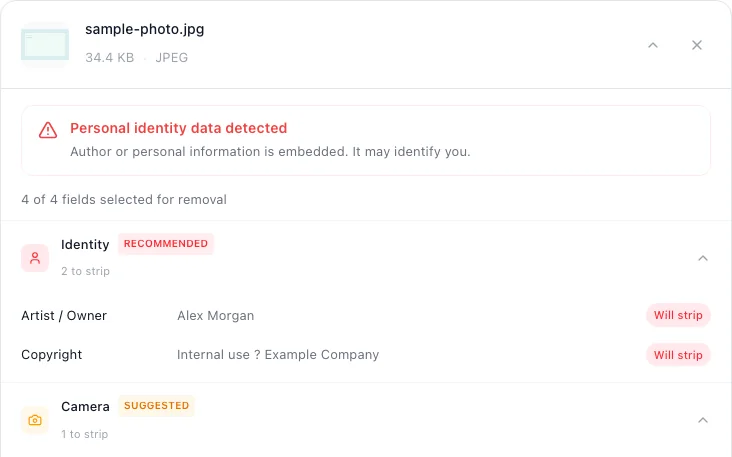
Step 3
Remove and download
Start the cleaner and download the new copy.
Open the tool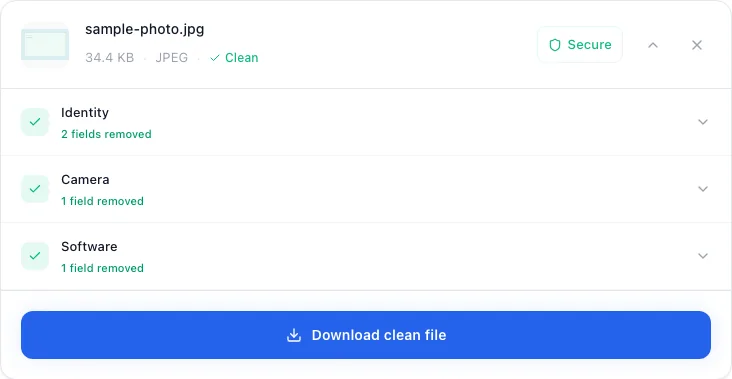


EXIF and Photo Metadata this tool can remove
Check the highest priority fields first.
- Exact GPS coordinatesRemove first
- Capture date and timeHigh priority
- Camera, phone, and lens modelHigh priority
- Author, copyright, and editing softwareReview
EXIF and Photo Metadata questions
Short answers about verification, file quality, and format limits.
Before you remove EXIF data
Keep the original photo. Metadata can be useful for sorting, editing, copyright management, and photography workflows. Clean a separate copy intended for sharing rather than overwriting the only version you have.
EXIF is most closely associated with JPEG and TIFF-based files, but “photo metadata” can also mean XMP, IPTC, PNG text chunks, WebP chunks, or GIF extensions. If you want the terminology first, read the practical guide to EXIF data before following the cleaning steps.
Does cleaning change image quality?
The current JPEG, PNG, WebP, and GIF cleaning paths rewrite container structures without decoding and re-encoding the image pixels. That avoids the generational loss associated with recompressing a JPEG. The output container still changes, so always open the cleaned file and compare it with the original before discarding anything.
Dimensions, color information needed for rendering, and other technical structures may remain. Those properties are not the same as a GPS coordinate or camera serial number, and their presence is not by itself evidence of failed cleaning.
How to verify that photo metadata was removed
- Load the cleaned copy into metapeel again and compare the detected fields with the original.
- Use a second viewer for higher-risk files. ExifTool is a widely used independent option with a detailed EXIF tag reference.
- Check the file visually at full size. Metadata cleaning does not blur or redact visible identifying details.
- Confirm the destination platform did not create a new copy with its own metadata or preserve a downloadable original.
Verification should ask a specific question. “Are the GPS, time, author, and device fields I care about absent?” It should not rely on a vague “clean” badge.
A practical photo privacy checklist
- Keep an original and share a separate cleaned copy.
- Turn off camera location access when location tagging is not useful to you.
- Do not assume a social or messaging platform strips every metadata structure; platform behavior can change.
- Check the pixels for faces, addresses, reflections, screens, vehicle plates, and documents.
- For a mixed set of files, use the file metadata map to choose the correct workflow for documents, video, and audio.
Written and maintained by
metapeel Editorial TeamThe team that documents metapeel's browser-based metadata inspection and cleaning behavior against the current implementation and primary format references.